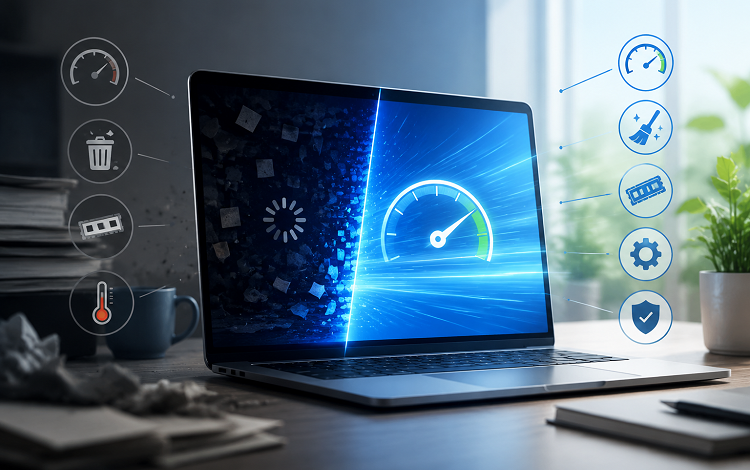
A smooth and responsive computer is important for gaming, working, and everyday tasks. However, even a powerful PC can experience slowdowns, unexpected crashes, or delayed responses when its hardware and software are not properly maintained. Simple steps such as taking a reaction time test, performing a PC stress test, and choosing to update drivers regularly can help users understand their system’s condition and improve overall performance.
These activities serve different purposes, but together they provide a useful approach to keeping a computer stable, responsive, and ready for demanding tasks.
Understand Your Responsiveness with a Reaction Time Test
Reaction speed matters in many computer activities, especially competitive gaming. In fast-paced games, players often need to respond quickly to movements, sudden attacks, or changes in their surroundings. Even a small delay can affect accuracy and performance.
A reaction time test measures how quickly someone responds to a visual or audio signal. Most online tests work by displaying a color change or another visual prompt and asking the user to click as quickly as possible. The result is usually measured in milliseconds.
These tests can help users understand their response speed and track changes over time. For more consistent results, it is useful to repeat the test under similar conditions. Factors such as tiredness, concentration, display refresh rate, mouse quality, and internet or system delays may influence the outcome.
Although a reaction test does not directly measure computer performance, it can help identify possible differences in user responsiveness. Gamers can use the results alongside other performance checks to better understand their overall gaming experience.
Check Hardware Stability with a PC Stress Test
A computer may perform well during basic tasks but struggle when running demanding applications. Games, video editing software, and professional programs can place considerable pressure on the processor, graphics card, and memory. This is where a PC stress test becomes useful.
A stress test pushes selected hardware components under heavy workloads to evaluate how they behave. It can help users identify overheating, instability, unexpected shutdowns, and performance problems that may not appear during normal use.
For example, a CPU stress test checks how the processor handles sustained workloads, while a GPU stress test evaluates graphics performance under demanding conditions. Memory testing can also help identify potential RAM-related errors.
Before starting a test, users should make sure their cooling system is working correctly and that the computer has enough ventilation. Monitoring temperatures and system behavior during testing is important. If temperatures become unusually high or the computer becomes unstable, the test should be stopped.
Stress testing is particularly useful after installing new hardware, changing system settings, or experiencing unexpected crashes. However, it should be performed carefully because running hardware at maximum load for extended periods can increase heat and power consumption.
Why You Should Update Drivers Regularly
Drivers help the operating system communicate with hardware components such as graphics cards, sound devices, network adapters, and printers. Outdated or incompatible drivers can sometimes cause reduced performance, connection problems, display issues, or system instability.
When users update drivers, they may receive compatibility improvements, bug fixes, and performance enhancements. Graphics driver updates can be especially relevant for gamers because manufacturers sometimes release optimizations for recently launched games.
There are several ways to update drivers. Users can visit the official website of their hardware manufacturer, use Windows Update, or check Device Manager for available updates. Some driver management utilities can also scan a computer and help identify outdated drivers.
It is important to download updates from trusted sources. Installing incorrect or unofficial drivers may create additional problems. Users should also avoid updating every driver unnecessarily if the system is already stable and no relevant update is available.
Keeping essential drivers current can support better communication between hardware and software, helping the computer operate more reliably.
Combine These Checks for Better Results
Each of these activities provides different information about a computer. A reaction test focuses on response speed, a stress test evaluates hardware stability, and driver updates help maintain compatibility and performance.
For example, a gamer experiencing inconsistent gameplay can start by checking whether their system has outdated graphics drivers. They can then monitor hardware temperatures and run an appropriate stress test to look for stability problems. A reaction test may help them evaluate their personal response speed separately from the computer’s technical performance.
This approach makes troubleshooting more organized. Instead of assuming that every performance issue comes from weak hardware, users can examine software, hardware, and personal factors individually.
Build a Simple PC Maintenance Routine
Regular maintenance does not need to be complicated. Users can check for important driver updates periodically, monitor system temperatures during demanding tasks, and run hardware tests when problems appear. Keeping unnecessary background applications closed and maintaining sufficient storage space can also support smoother operation.
It is equally important to understand that no single test can guarantee perfect performance. Results should be considered alongside everyday system behavior and the requirements of the applications being used.
Conclusion
Maintaining a reliable computer involves more than having powerful hardware. A reaction time test can help users evaluate their response speed, a PC stress test can reveal potential hardware stability issues, and regular driver updates can improve compatibility and reliability. By combining these practices with sensible maintenance habits, users can better understand their systems, troubleshoot problems, and enjoy a smoother computing experience.